
The MySQL root password is required to access and manage databases at the server level. If you forget this password or need to update it for security reasons, WHM provides a simple way to reset it.
Important Notes
-
You must have root access to the server to reset the MySQL root password.
-
The MySQL root password is different from the server’s root account password.
-
Resetting the password only affects the MySQL root user, not other system users.
Steps to Reset the MySQL Root Password
-
Log in to WebHost Manager (WHM).
-
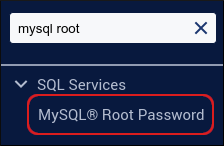
In the search box (top left), type mysql root.
-
Click MySQL Root Password when it appears.
-
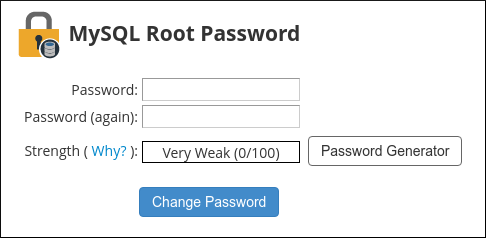
In the Password and Password (again) fields, enter the new password.
-
Alternatively, click Password Generator to create a strong, random password.
-
-
Click Change Password. The new MySQL root password takes effect immediately.
Verifying the Change
-
Try connecting to MySQL from the command line:
Bash mysql -u root -p -
Enter the new password when prompted.
-
If successful, you’ll gain access to the MySQL shell.
Notes
|


