
Removing a Banned IP Address in WHMCS
If you are a reseller running WHMCS, after three failed login attempts, WHMCS bans your IP address. You can either wait for the ban to expire or remove the banned IP address from the WHMCS database to regain access immediately.
Steps to Remove a Banned IP Address
-
Log in to cPanel.
-
On the Tools page, in the Databases section, click phpMyAdmin.
-
The phpMyAdmin administration page will open in a new window.
-
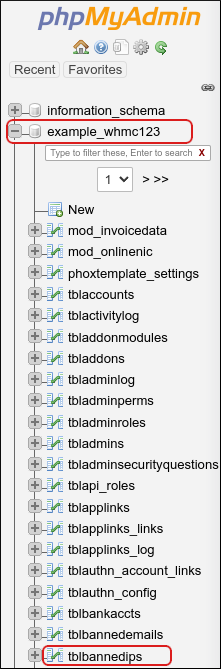
In the left-hand pane, click the name of your WHMCS database. A list of tables will appear.
-
Click the tblbannedips table.
-
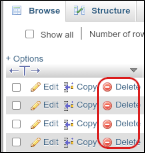
Locate the row containing the banned IP address and click Delete.
-
Click OK to confirm. The row will be removed from the database.
You should now be able to log in to WHMCS from the previously banned IP address.
Tip
If your IP address is frequently banned, consider adding it to the list of whitelisted IPs in WHMCS. For more information, visit WHMCS Security Tab – Whitelisted IPs.


